
6 Best Apps For Collaborating on Audio in 2026
Tom Addison
Whether you're finishing an album from two different cities, gathering client feedback on a film score, or managing a catalogue of sound effects across a whole department, finding the right app for remote audio collaboration shapes how smoothly every project runs. The tools you use to share files, collect feedback, and manage revisions have a direct impact on how fast you can move and how professional the process feels to everyone involved.
Audio collaboration software has matured significantly in recent years. Where once producers, editors, composers, and engineers had to rely on generic file-sharing services, there is now a growing category of purpose-built audio collaboration tools designed for the full range of audio and music work. In this guide, we compare six of the best audio collaboration apps in 2026, covering their key features, ideal use cases, and where each one differs.
| Platform | Best For | Timestamped Comments | Version Control | Team Workspaces | Free Tier |
|---|---|---|---|---|---|
| Hummify | Freelancers, musicians & full organisations | Yes, fully interactive | Yes | Yes | Yes |
| Boombox | Independent artists wanting distribution + collaboration | Yes | Yes | Limited | Yes |
| Opusonix | Producers and mix engineers | Yes, with voice memos | Yes | Limited | Yes |
| Samply | Engineers sharing mixes with clients | Yes | Yes | No | Yes |
| Pibox | Organisations | Yes | Yes | Yes | Yes |
| Vollume | Labels and music supervisors | Track-level only | No | Yes | Yes |
1. Hummify
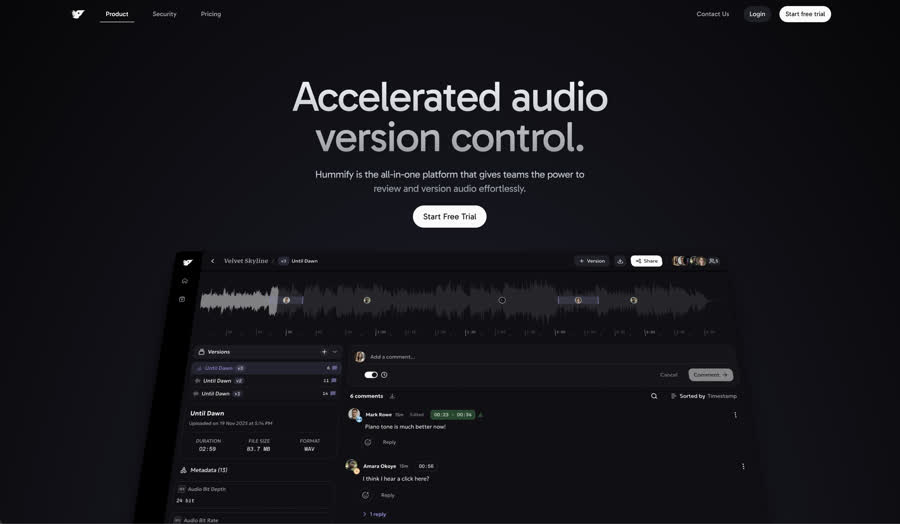
The audio collaboration platform built for everyone, from freelancers to full organisations.
Hummify is designed to serve the full spectrum of audio work. Whether you are a composer sharing a demo, a sound designer gathering notes on effects, or a label managing dozens of projects across multiple teams, Hummify adapts to how you work rather than forcing you into a single mode.
At its core, the platform combines powerful sharing features with genuine organisational infrastructure. Share links can be configured as playlists or as a file browser layout, making them equally useful for music-centric presentations and broader audio deliverables. For teams, Hummify offers a full workspace model: owners, admins, and project collaborators each have clearly defined roles, and access is governed at both the workspace and project level. Guests can be invited to view and comment without consuming a full seat, keeping external collaborators in the loop without unnecessary overhead.
What sets Hummify apart in day-to-day use is how it handles the details. The commenting engine is genuinely interactive: you can click and drag directly on the waveform to create region-based comments that span a precise section, then move comments around by dragging them. This makes the experience of giving feedback feel tactile and intuitive. The asset attachment system adds another layer of flexibility, allowing related files, notes, and documents to be attached directly to an audio file rather than scattered across folders. Attachments can even be colour coded for quick visual reference.
Key Features
- Interactive waveform comments: click and drag to create region comments, reposition them by dragging, pinpointing feedback to the exact moment or section
- Version stacks for organising multiple iterations of the same asset, with full version history and the ability to swap between versions without pausing playback
- Configurable share links that can present content as a playlist or a file browser, suited to both music and general audio workflows
- Role-based access control across the workspace, with distinct permissions for owners, admins, project collaborators, and guests
- Asset attachments sorted and colour coded, keeping supplementary files and notes directly alongside each audio track
- Metadata-rich file browser with support for any file type
- Project types covering albums, live shows, podcasts, audiobooks, and general audio production
- Optional passphrase protection and link expiration for secure external sharing
- Enterprise-grade workspace security, ensuring only authorised members can access project data
Pricing
- Starter: Free, includes 1 project and 1 GB storage
- Pro: £7 per seat per month, unlimited projects, 100 GB storage, up to 5 seats
- Team: £15 per seat per month, 1 TB storage, up to 10 seats, share expiration and passphrase features
See the full Hummify pricing breakdown for details on each plan.
Best For
Hummify is a strong choice across the board: for independent musicians sharing work with collaborators, for composers and sound designers gathering structured feedback, and for labels, production houses, and agencies that need proper workspace governance. The platform scales from a single user to a full organisation without requiring a change in tools or workflow.
2. Boombox
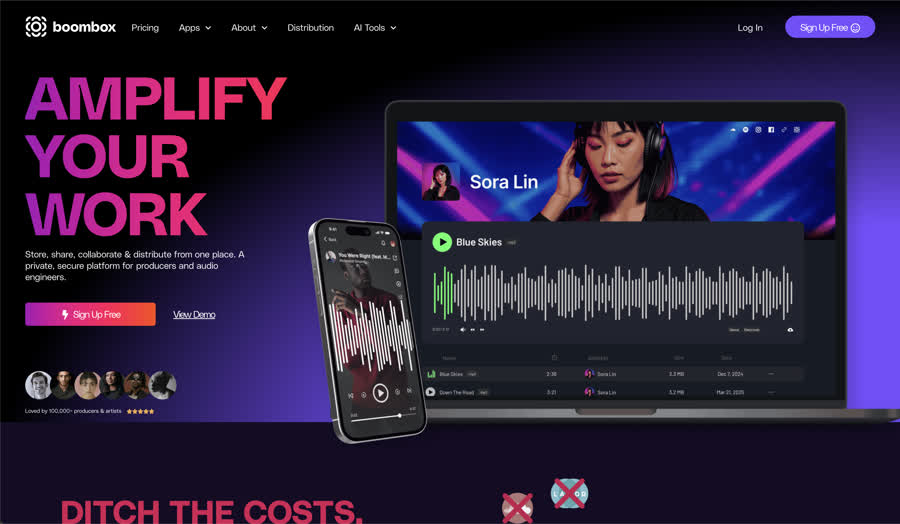
An all-in-one platform combining audio collaboration, music distribution, and AI tools.
Boombox takes a different approach to the collaboration space by bundling file storage and feedback tools alongside music distribution and AI-powered production assistance. The platform markets itself as a consolidation play: instead of subscribing to separate tools for sharing, distributing, and processing audio, users can manage much of their workflow from a single dashboard.
Key Features
- Timestamped commenting for context-specific audio feedback
- Track versioning with revision history and change notes
- Distribution to major DSPs including Spotify, Apple Music, and TikTok, with artists retaining 100% of royalties
- AI tools via Boombot, including stem separation, mastering assistance, and automatic metadata tagging
- Password-protected sharing with customisable access permissions
Best For
Boombox is particularly suited to independent artists and smaller production teams who want to reduce the number of subscriptions they manage. If distribution and AI-assisted production are important parts of your workflow, Boombox bundles those capabilities alongside your collaboration tools.
Notable Considerations
Boombox also includes AI tools such as AI mastering, an AI lyric generator, and an AI chord progression generator. Depending on the team, this is either a useful shortcut or a step too far. Professionals who have spent years honing their skills often prefer tools that augment their process rather than automate creative decisions on their behalf.
For larger organisations that need formal workspace hierarchies or granular role management, the platform may require supplementing with additional tools. Teams with specialised, high-volume collaboration needs may find a more focused platform better serves those specific requirements.
3. Opusonix
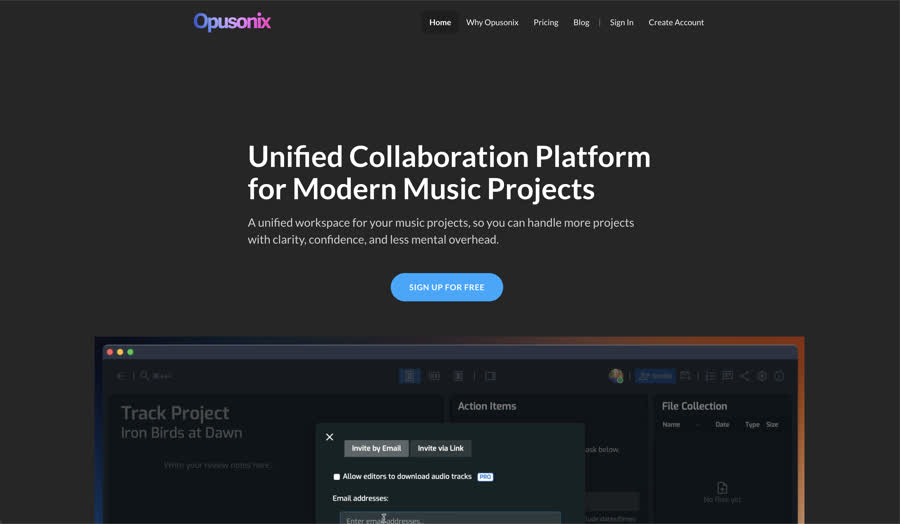
A collaboration platform with a strong focus on project management and asynchronous feedback.
Opusonix is designed for audio engineers and producers who need more than a comment thread. Alongside its core timestamped feedback tools, it integrates project management capabilities directly into the collaboration environment.
Key Features
- Timestamped waveform comments with voice memo support for more nuanced feedback
- Built-in A/B testing with loudness matching for direct mix comparisons within the platform
- Kanban board for production pipelines, customisable to reflect your team's actual process
- Task management with calendar views and project templates
- AI-powered project summaries to help collaborators catch up quickly
Best For
Opusonix is a strong fit for producers and mix engineers juggling multiple projects who want feedback and task tracking in one place. The loudness-matched A/B comparison feature is particularly useful when presenting revisions to clients.
Notable Considerations
The platform is oriented more toward the producer-engineer-client relationship than toward larger organisational structures. Teams requiring workspace-level administration or formal seat-based access management will find those capabilities are not central to what Opusonix offers. It is also worth noting that the interface has a bit of a learning curve; the UI is not the most intuitive, and new users may need some time to get comfortable navigating the platform.
4. Samply
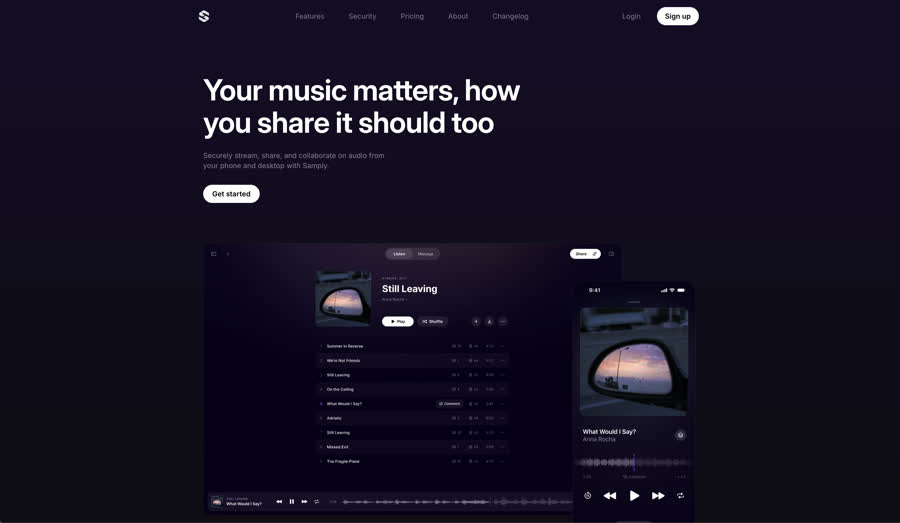
A clean, music-focused sharing and feedback tool trusted by professional engineers.
Samply is geared specifically at music, and it focuses on doing a small number of things very well: lossless audio streaming, time-coded feedback, and a professional client-facing interface that signals quality from the moment a link is opened.
Key Features
- Lossless and gapless audio playback, preserving the integrity of mixes as intended
- Time-coded comments for precise, timestamped feedback
- Level matching across versions for fair, accurate comparison
- Playback sync for real-time collaborative listening sessions
- Purpose-built for audio, unlike repurposed general file-sharing tools
Best For
Samply is well suited to individual engineers and producers who need a clean, high-quality client-facing experience for sharing mixes and collecting feedback. It is a strong alternative to sending download links via email, particularly where listening quality and a professional presentation matter.
Notable Considerations
Samply's strength is its focus, though that focus is firmly on music rather than professional audio more broadly. Teams working in sound design, post-production, or podcast production may find the platform less suited to their needs. The commenting system uses time-coded comments but does not offer click-and-drag region commenting on the waveform, so pinpointing feedback across a specific section is less intuitive than on platforms that support that interaction. For teams that need broader project management, workspace governance, or the ability to manage multiple collaborators across an organisation, Samply may need to be supplemented with other tools.
5. Pibox
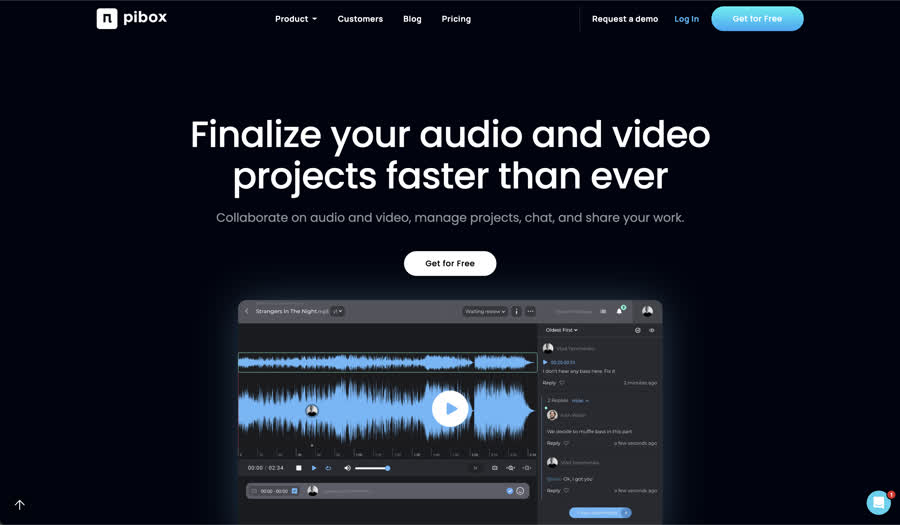
An audio review and approval platform aimed at larger production teams.
Pibox is built for production environments where asset management and review workflows need to operate at volume. It supports team workspaces and offers metadata management capabilities alongside its collaboration tools.
Key Features
- Timestamped waveform comments for precise review feedback
- Version chain linking for structured revision workflows
- Custom metadata fields with export options
- Team management with multi-team support at the enterprise tier
Best For
Pibox suits larger organisations and production companies that need a structured review and approval workflow with metadata capabilities.
Notable Considerations
Pibox also includes video review features alongside its audio tools. For teams that work across both mediums, this could be useful, but teams focused purely on audio may prefer a platform that is not spread across multiple content types. For teams that prioritise a streamlined, modern interface, the Pibox experience may feel more utilitarian compared to some newer alternatives. The platform is built for process and throughput, and smaller teams may find the interface requires more onboarding time to navigate comfortably.
6. Vollume
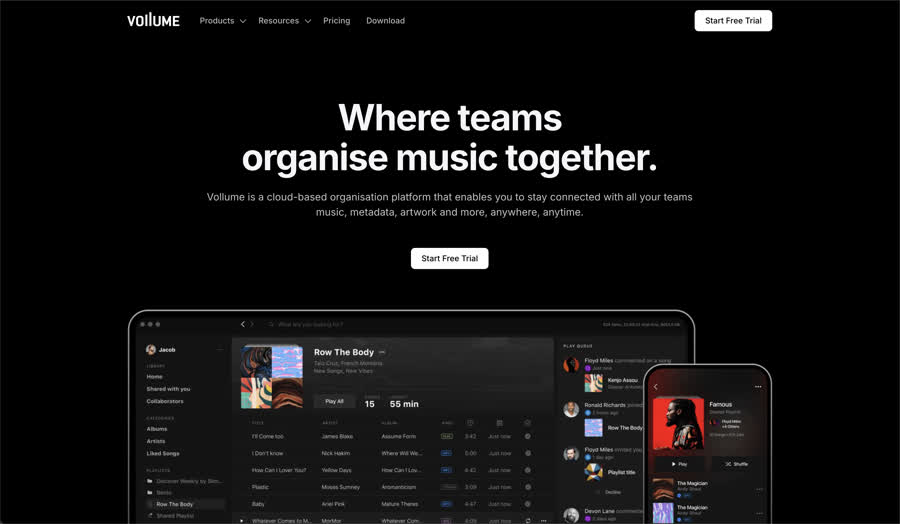
A cloud-based organisation platform with cross-device access and team workspaces.
Vollume positions itself as an organisational hub for music, metadata, and creative assets. It supports teams and labels with a platform that emphasises cross-device access, secure file management, and collaborative organisation.
Key Features
- Cross-platform access across macOS, Windows, iOS, Android, web, Sonos, CarPlay, and Apple Watch
- DAW-compatible drag-and-drop with support for Ableton Live, Logic Pro, FL Studio, Pro Tools, and more
- Custom tags and smart playlisting for organising large libraries
- Team workspaces with collaborator management and permission controls
- Password-protected and expiring share links for controlled external access
- SSO support at the enterprise tier
Best For
Vollume suits record labels, music supervisors, and studios who need to organise and distribute large catalogues alongside associated metadata and artwork. Its broad device support makes it practical for teams that are frequently on the move.
Notable Considerations
Where some music collaboration platforms allow collaborators to click and drag directly on a waveform to place and position timestamped comments, Vollume's commenting system works differently: comments are added to tracks rather than positioned interactively on the waveform timeline. For teams where pinpointing feedback to a specific second is a core part of the review workflow, this is worth factoring into your decision.
How to Choose the Right Music Collaboration Platform
The right platform depends on the size and structure of your team, the nature of your review process, and what you value most in a daily workflow.
For individuals and small two-person collaborations, tools like Samply offer a clean, focused experience. For producers and mix engineers managing client feedback, Opusonix brings review and project management together. For all-in-one simplicity with distribution built in, Boombox is worth considering. For larger production teams with approval chains and metadata needs, Pibox offers the relevant infrastructure.
For anyone who wants a platform that handles both clean external sharing and full organisational structure without switching tools, and who values an intuitive, genuinely interactive review experience, Hummify is built for exactly that. It works just as well for a composer sharing a single piece as it does for a label managing a full catalogue across a team.
Frequently Asked Questions
What is the best app for audio collaboration?
The best app depends on the type of audio work and the size of the team. For teams that need both external sharing and internal workspace management with interactive waveform commenting, across music, sound design, post-production, podcast production, or any other audio discipline, Hummify covers the widest range of use cases. For producers and mix engineers focused on client feedback and project management, Opusonix is a strong fit. For solo engineers sharing music mixes, Samply offers a clean, focused experience.
Can you collaborate on audio projects online for free?
Yes. Several audio collaboration platforms offer free tiers. Hummify's Starter plan includes one project and 1 GB of storage at no cost, with no credit card required. Boombox and Samply also offer free plans with varying limitations on storage and features.
What features should I look for in an audio collaboration tool?
The most important features for remote audio collaboration include timestamped commenting (so feedback references specific moments in the audio), version control (so revisions can be tracked and compared), secure sharing (so external clients can review without needing an account), and role-based access control (so team permissions are clearly managed). Interactive waveform commenting, where feedback can be placed on a specific region by clicking and dragging, is a significant upgrade over basic timestamped systems. These features matter whether the work involves music production, dialogue editing, sound effects, podcast production, or any other audio workflow.
How do audio collaboration apps differ from regular file-sharing tools?
Audio collaboration apps are purpose-built for audio workflows. Unlike generic file-sharing services, they offer features like timestamped waveform commenting, version control for audio revisions, lossless playback, and role-based access for managing teams. Whether the project is a film score, a podcast series, a sound effects library, or an album, these capabilities make feedback more precise and keep projects organised in ways that general tools like Google Drive or Dropbox cannot replicate.
Conclusion
The audio collaboration tools available in 2026 are genuinely strong across the board, and each platform covered here serves its audience well. The key is matching the tool to how you actually work.
If you are a musician, sound designer, composer, or part of a growing team at a label, agency, or production house, and you want a platform that covers both simple sharing and serious organisational infrastructure without compromise, we think Hummify's approach makes a real difference.
Try Hummify free and see how it fits your workflow. Have questions? Get in touch.
Written by Tom Addison
Tom is a leading audio engineer, producer, and composer whose career spans some of the most renowned studios and productions worldwide. Tom is the former score engineer for Hans Zimmer, and has amassed over 150 million streams across platforms. He has engineered at Abbey Road, RAK, and Metropolis Studios, and composed for Universal, BMG, and EMI.
tomaddison.com