
The WeTransfer AI Controversy Explained: Top File Sharing Alternatives for Audio Professionals
Tom Addison
In July 2025, WeTransfer, one of the most trusted file-sharing platforms among creative professionals, quietly updated its terms of service with language that would have granted the company broad rights over user content, including the right to use uploaded files for AI model training. The backlash was immediate, and the fallout prompted many musicians, producers, and audio engineers to rethink where they store and share their most valuable work.
If you are one of the many creatives now looking for a more trustworthy alternative, this guide compares four platforms purpose-built (or commonly used) for sharing audio files, and examines how each one stacks up on security, ownership, and collaboration features.
What Happened With WeTransfer
On 1 July 2025, WeTransfer published updated terms of service set to take effect on 8 August. A revised Clause 6.3 granted WeTransfer "a perpetual, worldwide, non-exclusive, royalty-free, transferable, sub-licensable license" to use uploaded content for "operating, developing, commercialising, and improving the Service or new technologies or services, including to improve performance of machine learning models."
The clause also stated that WeTransfer would have the right to "reproduce, distribute, modify, prepare derivative works based upon, broadcast, communicate to the public, publicly display, and perform" user content.
For anyone routinely transferring unreleased music, podcast masters, or commissioned audio through the platform, these terms were alarming. The language was broad enough to cover virtually any use of uploaded files, with no expiry, no compensation, and no opt-out mechanism.
By 15 July, after widespread backlash, WeTransfer removed the controversial language and clarified that it had never used customer data to train AI. But for many creatives, the damage to trust was already done. If a company's legal team drafted those terms in the first place, it signals a willingness to explore those boundaries again.
Why This Matters for Audio Professionals
Unlike a casual document or photo, audio content often represents months of creative work, significant financial investment, and unreleased intellectual property with real commercial value. A pre-release album, a commissioned podcast series, or a live performance recording could all be compromised if a platform exercises overly broad licence terms.
Across the technology industry, platforms are racing to secure access to training data for AI systems, and user-generated content is one of the richest sources available. The WeTransfer incident was not an isolated case; it was a symptom of a broader trend that creatives need to take seriously when choosing where to store and share their work.
Top WeTransfer Alternatives for Audio File Sharing
| Feature | Hummify | Filepass | Notetracks | Filemail |
|---|---|---|---|---|
| Free tier | Yes (1 project, 1 GB) | No | Yes (500 MB, 2 projects) | Yes (5 GB transfers, 7-day retention) |
| Waveform commenting | Yes, interactive click-and-drag | No | Timestamped only | No |
| Version control | Yes | Limited | No | No |
| Team workspaces | Yes | No | Limited | No |
| Role-based access | Yes (owner, admin, collaborator, guest) | No | Limited | No |
| All file types supported | Yes | Audio-focused | Audio and video | Yes |
| No AI training policy | Yes, explicit | Not stated | Not stated | Not stated |
| Encryption at rest | AES-256 | Not stated | Not stated | Yes |
1. Hummify
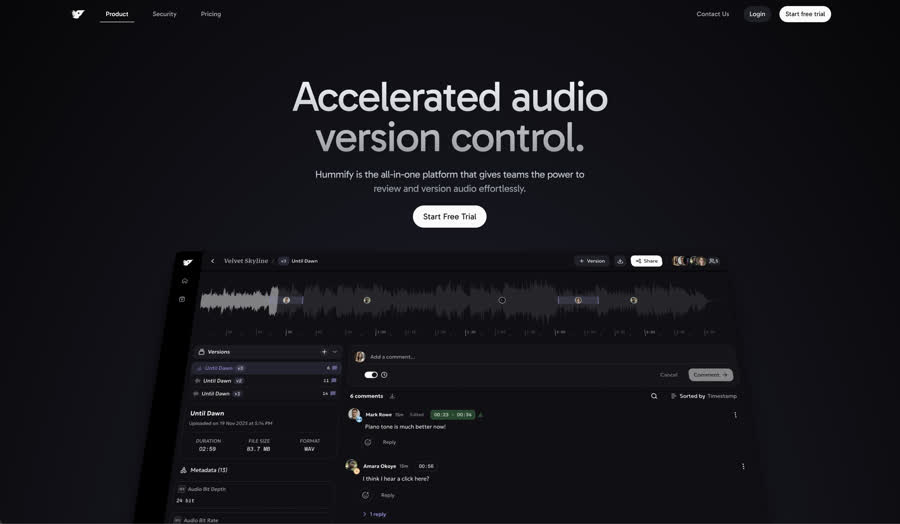
The audio collaboration platform built for everyone, from freelancers to full organisations.
Hummify is purpose-built for professional audio workflows, and it was designed from the ground up with security and content ownership as foundational principles, not afterthoughts.
Ownership and Security
Hummify claims no intellectual property rights over any audio, metadata, comments, or other content you create on the platform. We act solely as a secure host for the data you upload. There is no perpetual licence, no sublicensable rights, and no claim to derivative works. Your files remain entirely yours.
Hummify does not access, analyse, or use your content to train AI models or any other machine learning systems, now or in the future. This is a core commitment, not a temporary policy. You can read more in our security documentation.
All data is encrypted in transit using TLS and at rest using AES-256 encryption. Audio files are never directly accessible via a public URL. Every stream goes through a secure content delivery layer that verifies permissions before serving any content. File processing happens in an isolated pipeline with no access to user account data.
Collaboration Features
Where Hummify truly stands apart is in the depth of its collaboration tools. The platform supports interactive waveform comments, allowing collaborators to click and drag directly on the waveform to create region-based comments that span a precise section of audio. Comments can be repositioned by dragging, making feedback feel tactile and intuitive.
Version stacks keep every iteration of a file organised and accessible, with full version history and the ability to swap between versions without pausing playback. Configurable share links can present content as a playlist or as a file browser, suited to both music and general audio workflows. Links can be protected with a passphrase and set to expire, and any link can be revoked at any time.
The workspace model supports distinct roles for owners, admins, project collaborators, and guests, with access enforced at both workspace and project level. Guests can view and comment without consuming a full seat, keeping external reviewers in the loop without unnecessary cost. Asset attachments with colour coding, dedicated project types for albums, live shows, podcasts, audiobooks, and general audio production, and a metadata-rich file browser round out a platform that adapts to how audio professionals actually work.
Pricing
- Starter: Free, includes 1 project and 1 GB storage
- Pro: £7 per seat per month, unlimited projects, 100 GB storage, up to 5 seats
- Team: £15 per seat per month, 1 TB storage, up to 10 seats, share expiration and passphrase features
See the full Hummify pricing breakdown.
Best For
Musicians, producers, sound designers, podcast teams, labels, agencies, and production houses who need a platform that handles secure sharing, structured feedback, and full organisational governance without switching tools.
2. Filepass
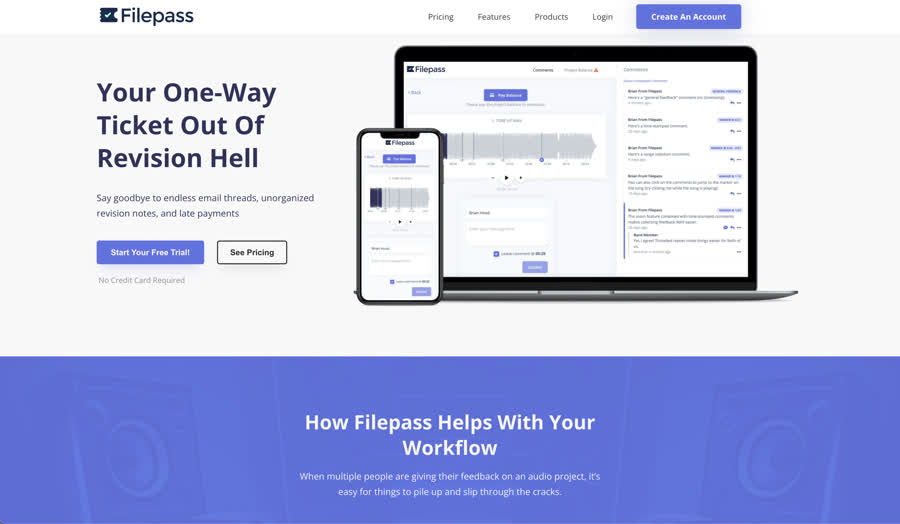
File sharing built for the audio industry, focused on delivery and client communication.
Filepass is aimed at audio engineers and producers who need a clean way to deliver mixes to clients and collect feedback. It removes the friction of requiring clients to create accounts; each folder has its own unique link, and clients can listen and leave notes without signing up.
Key Features
- Lossless, high-resolution audio streaming with artifact-free playback
- Client upload folders for receiving stems and session files
- Centralised feedback system with time-stamped notes organised by song
- Comment threads for collaborative discussion
- Payment integration via Stripe and PayPal, with the option to paywall downloads
- Daily digest emails summarising client feedback
Notable Limitations
Filepass does not offer a free tier, but does offer a 14-day free trial. It is primarily designed around audio file types, so teams working with mixed media or general file management may find it restrictive. There is no workspace or team management structure, and version-to-version note carry-over has been a longstanding feature request. The platform is best understood as a delivery and feedback tool rather than a full collaboration environment. The platform also does not publish an explicit policy on AI training or content ownership beyond standard hosting terms.
Best For
Solo mix engineers and mastering engineers who need a professional delivery mechanism for client work, particularly those who want to integrate payment collection alongside file sharing.
3. Notetracks
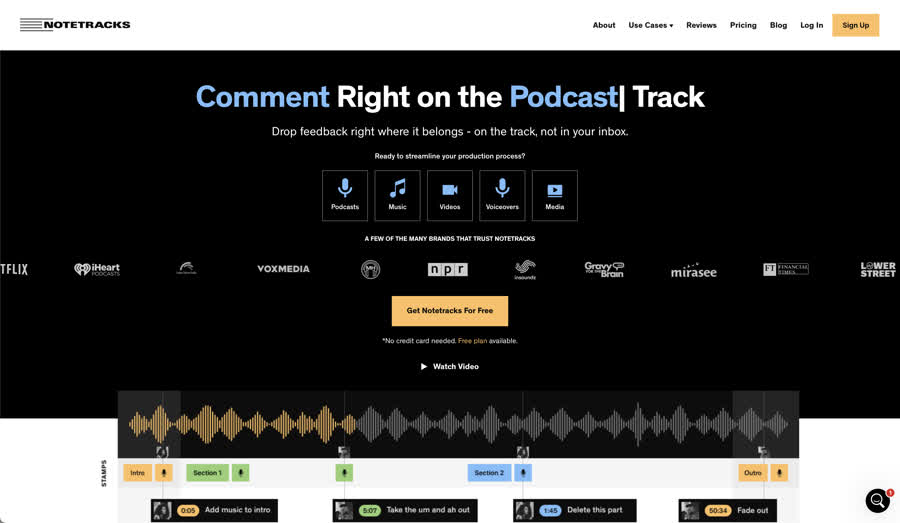
A web-based review tool for timestamped audio and video feedback.
Notetracks provides a collaborative space for dropping timestamped comments on audio and video files. It integrates with industry-standard DAWs (e.g., Pro Tools, Adobe Audition, Audacity) and supports features like audio transcription and basic editing tools in its higher tiers.
Key Features
- Timestamped commenting on audio and video tracks
- Comment export as text files
- Audio transcription generation
- Basic editing tools (split, fade, speed adjustment) on Team plan
- DAW integration for importing and exporting comments
Notable Limitations
The free tier is limited to just 500 MB of storage and 2 projects, which is restrictive for any meaningful professional use. Even the Pro plan at $15 per month only provides 2 GB, which fills quickly with uncompressed audio. Users have noted that the interface can feel heavy in the browser, with slower load times on larger projects. Commenting is timestamped but does not support click-and-drag region selection on the waveform. There is no configurable share link system, no role-based workspace governance, and no published policy on AI training or content usage. The platform is designed more for review and annotation than for ongoing project collaboration.
Pricing
- Free: 500 MB, 2 projects, 2 collaborators
- Pro: $15/month, 2 GB storage, 10 projects, unlimited collaborators
- Team: $29/month, 25 GB storage, 25 projects, video collaboration and audio editing
Best For
Podcasters and post-production teams who need a straightforward review tool with DAW integration and are comfortable with limited storage on lower tiers.
4. Filemail
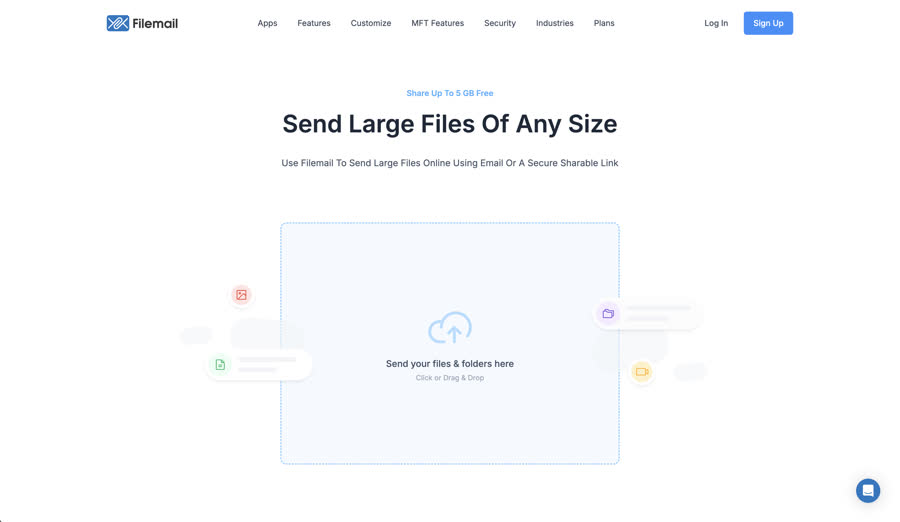
A general-purpose file transfer service that supports audio alongside all other file types.
Filemail is a file delivery platform, not an audio collaboration tool. It supports audio files in any format and preserves quality during transfer, but it lacks the purpose-built features that audio professionals rely on for feedback, versioning, and project management.
Key Features
- Transfers up to 5 GB for free (250 GB on Pro plan)
- Preserves original audio quality across formats (MP3, WAV, and others)
- Delivery via email or secure shareable links
- No account required for recipients to download
- Password protection and download tracking on paid plans
Notable Limitations
Filemail is designed for sending files, not for collaborating on them. There is no waveform commenting, no timestamped feedback, no version control, no project structure, and no collaborator management. Free transfers expire after 7 days, and storage is not persistent on the free tier. For teams that need to manage ongoing audio projects, gather structured feedback, or control access at a granular level, Filemail does not offer the infrastructure to support those workflows. It is closer to a WeTransfer replacement than an audio collaboration platform.
Pricing
- Free: 5 GB transfers, 7-day retention
- Pro: $15/month, 250 GB transfers, 1 TB storage
- Business: Custom pricing, unlimited transfer sizes
Best For
One-off file transfers where quality preservation matters and the recipient does not need an account. Useful as a direct WeTransfer replacement for sending files, but not suited to ongoing collaboration.
How to Choose the Right Alternative
The right platform depends on what you need beyond simply moving files from one place to another.
If your primary need is delivering mixes to clients with a clean, accountless experience, Filepass handles that well, though the lack of a free tier and limited collaboration features narrow its appeal.
If you need a lightweight review tool for timestamped feedback, Notetracks covers the basics, but the restrictive storage limits and browser performance may become frustrating as projects grow.
If you are simply looking for a direct WeTransfer replacement for sending large files, Filemail preserves audio quality and requires no recipient account, but it offers nothing in the way of collaboration.
If you need a platform that combines secure file sharing, interactive feedback, version control, team governance, and an explicit commitment to never using your content for AI training, Hummify is built for exactly that. It works just as well for a solo producer sharing a demo as it does for a label managing a full catalogue across multiple teams.
Frequently Asked Questions
Did WeTransfer use my files for AI training?
WeTransfer stated that it never used customer data to train AI models. However, the terms of service published in July 2025 would have granted the company the legal right to do so. The controversial language was removed after public backlash.
What should I look for in a secure file sharing platform?
Look for explicit statements on content ownership (you should retain full IP rights), a clear policy on AI and machine learning (your content should never be used for training), encryption both in transit and at rest, role-based access controls, and a straightforward right to delete your data.
Can I collaborate on audio projects for free?
Yes. Hummify's Starter plan includes one project and 1 GB of storage at no cost, with no credit card required. Notetracks also offers a free tier, though it is limited to 500 MB and two projects. Filepass does not offer a free plan.
Is Hummify only for music?
No. Hummify supports project types for albums, live shows, podcasts, audiobooks, and general audio production. It is designed for the full spectrum of professional audio work, not just music.
Make the Switch
The WeTransfer controversy was a wake-up call. The platforms you trust with your creative work should earn that trust through transparent policies, robust security, and a genuine commitment to keeping your content yours.
Explore Hummify's plans or start a free trial today. Have questions? Get in touch.
Written by Tom Addison
Tom is a leading audio engineer, producer, and composer whose career spans some of the most renowned studios and productions worldwide. Tom is the former score engineer for Hans Zimmer, and has amassed over 150 million streams across platforms. He has engineered at Abbey Road, RAK, and Metropolis Studios, and composed for Universal, BMG, and EMI.
tomaddison.com